
Virtual Controller
Every entry checked, where the entry already is.
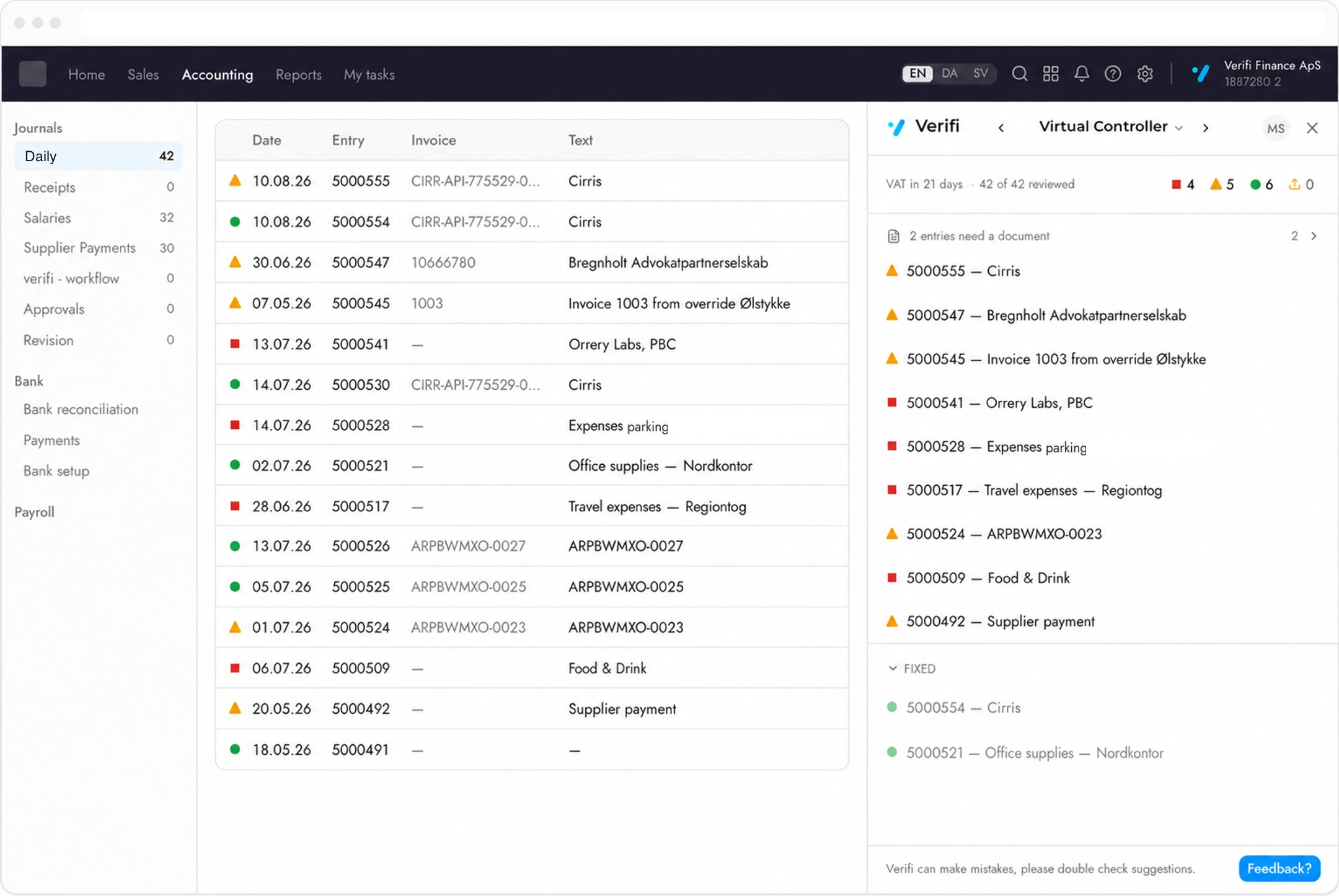
The Virtual Controller reviews each journal entry against 30+ controls as your team posts it, in a panel docked inside the ERP they are already working in. Nothing to open, nothing to export, no second system to keep up to date.
e-conomic · Microsoft Business Central · Fortnox
The work is finding the 21%.
On average, 21% of posted entries are flagged for review — and the cost of the review is not fixing those, it is opening the other 79% to find them. The Virtual Controller does that reading. What reaches your controller is the entries that need a person.
79%
of entries nobody needs to open
How it works
Post as usual. The panel keeps up.
01
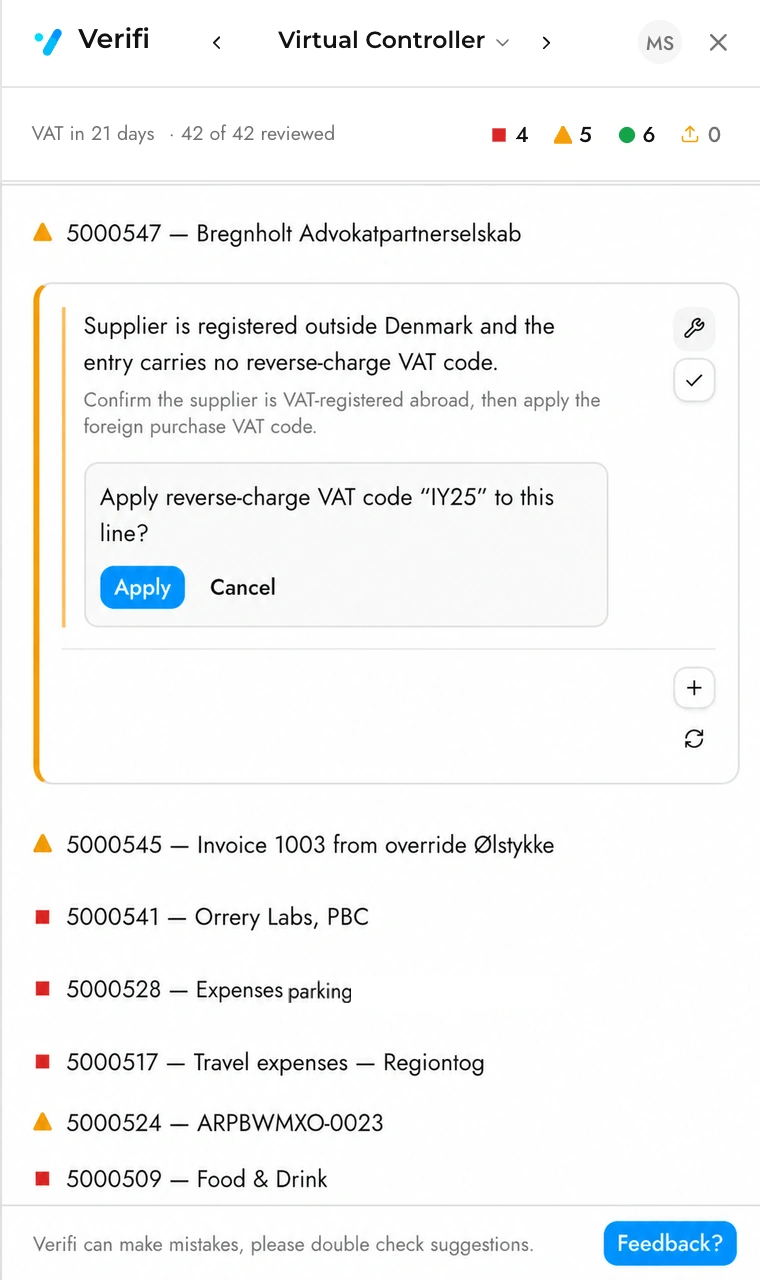
It reads the daybook as you post
Each entry is checked as it lands. There is no batch to schedule and no moment where the panel is out of date with the ledger beside it.
02
It shows what is left to do
The panel lists the entries that need attention and says how many are still open. The entries that came back clean are marked in your own ledger and stay out of the list — you never open them.
03
You answer it in place
Every finding is answered from the panel: correct it, accept it with your reason, or attach the document it is missing. The entry clears and the list gets shorter.
Three ways a finding ends
A flag is only useful if there is somewhere for it to go. Each one closes in one of three ways, and the panel records which — so the next person to open the entry can see what was decided and who decided it.
Fixed
Verifi corrects the entry
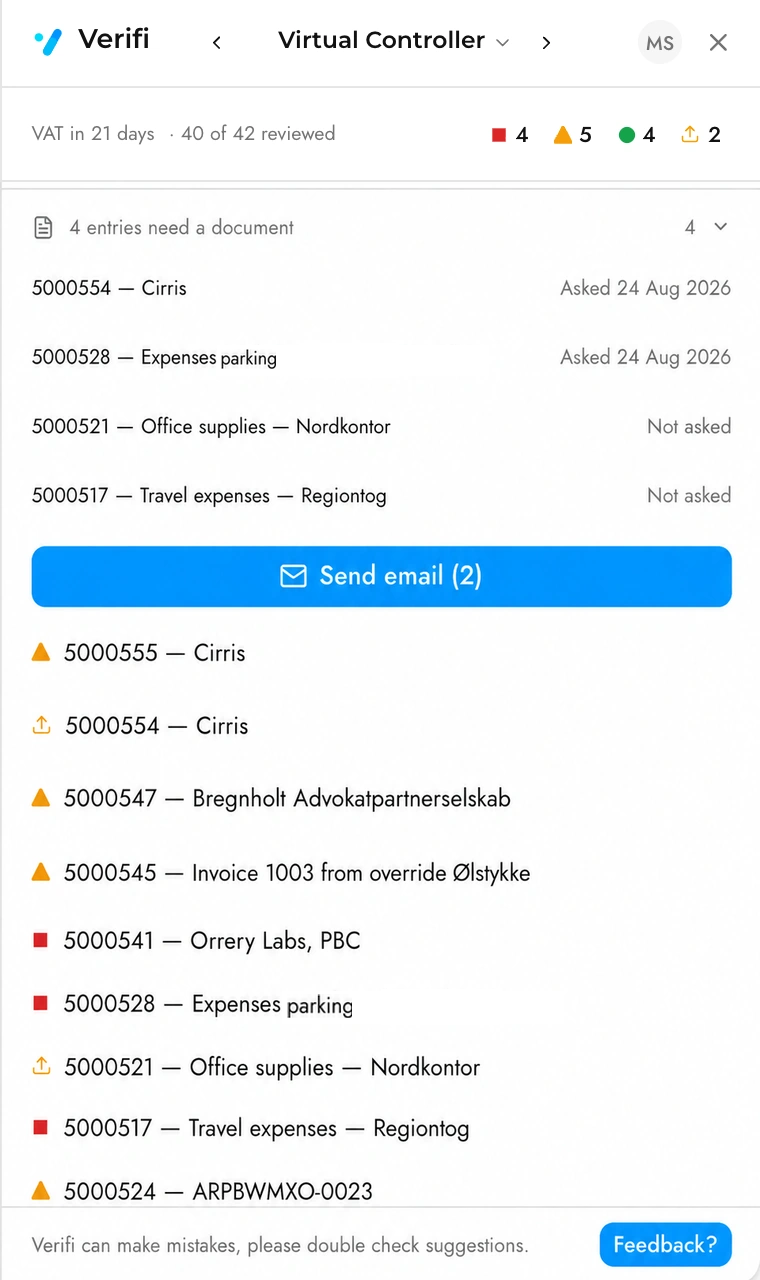
Where the correction is unambiguous — a missing VAT code, a posting date outside the period — Verifi proposes the exact change and shows it to you before anything is written. You apply it or you don’t.
Accepted
You decide it is fine
Some entries are unusual and correct. Accept the finding with a sentence saying why, and the reason stays on the entry rather than in someone’s memory.
Documented
The missing file arrives
Where the answer is a document, attach it and the finding closes. If the document is with the client, ask for it from the same place — see below.
Missing documents
Ask the client once, not once per entry.
Entries that cannot be checked until a file arrives are gathered in one place, each showing when the client was last asked. Request what you need as you work through them, and it goes out as a single email rather than one per document.
The entry stays on the list until the file is there. Asking is a record, not a resolution — which is the distinction that stops a chased document from quietly counting as a finished one.
It shows its work, and you can overrule it
What it never does
What it does instead
Change your books without being asked
Show the exact change first, and wait
Dismiss a finding silently
Say what it dismissed and why, on the entry
Make a decision you cannot reverse
Undo on every call it makes for you
Ask you to trust it on its own say-so
Cite the ledger, or the rule you wrote earlier
Questions about the Virtual Controller
Does it post anything on its own?
No. Where Verifi can correct an entry it shows you the change it would make and waits. Applying it is your click, and the entry records that it was fixed rather than accepted.
What happens to the entries it passes?
They are marked in your ledger and left alone. The panel is a list of what needs attention, so a clean entry never appears in it — that is the point of the 79%.
Can two people work the same client?
Yes. Every acceptance, correction and attached document is recorded against the entry with the initials of whoever did it, so the second person sees what the first decided rather than starting again.
Does it work in Danish?
The panel follows the language of the ERP it is docked in, and your ledger stays in your own words — account names and entry texts are never translated.